Endpoint guide / POST /sticker
Create die-cut stickers with one API call
The sticker endpoint isolates the subject, adds a clean outline, and returns a transparent PNG ready for chat, social, or product UI.

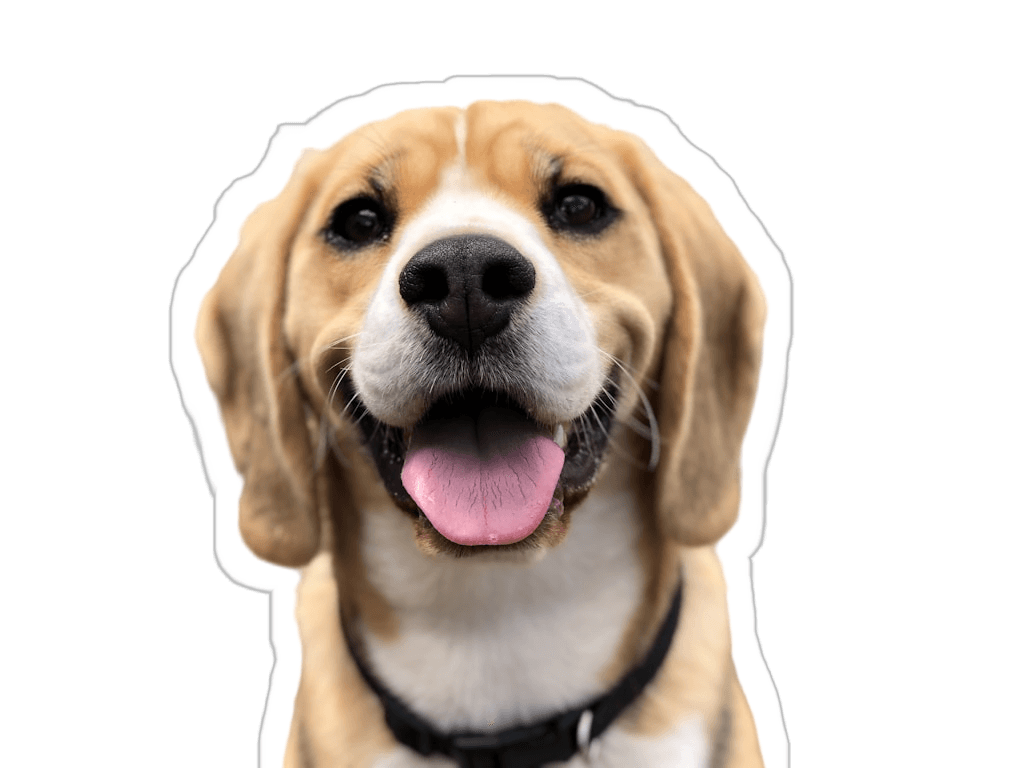
Working request
Configure the edge, not a design pipeline.
The endpoint returns a transparent PNG. Adjust the stroke and padding in the same multipart request, then store or deliver the returned bytes.
cURL
curl -X POST "https://useknockout--api.modal.run/sticker" \
  -H "Authorization: Bearer $TOKEN" \
  -F "file=@portrait.png" \
  -F "stroke_width=24" \
  -F "stroke_color=#FFFFFF" \
  -F "padding=32" \
  -o sticker.png
Good uses
- User-generated sticker packs for chat and community products
- Creator thumbnails, reaction assets, and social overlays
- Product badges and cutout treatments inside an editor
Production checklist
- Use PNG when you need a transparent background.
- Increase padding when the outline feels cramped near the canvas edge.
- Choose a stroke color that stays visible on both light and dark surfaces.
- Keep the API token on your server, never in browser code.
Build with the endpoint